


Social Media Tips for Structural Engineers

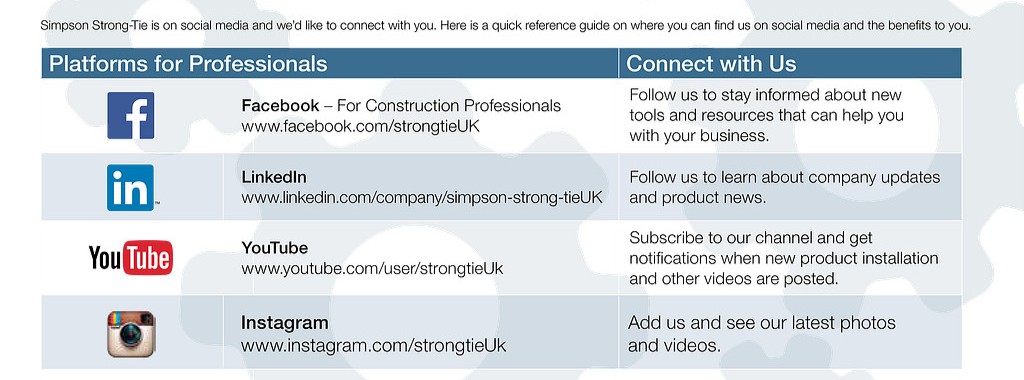
In January, our engineer Shane Vilasineekul wrote about his top ten mobile apps. Today we’re talking social media and how it can help you be better at your job. Now I know that the common notion of social media is that it is more of a place to goof off from work, but stay with me here. Think of social media as a place where people can meet. There is a big difference between bars versus a conference for professionals. While they are both places where people can meet in one spot, they perform different functions. Social media is the same way. It can be used for non-professional networking, but it can also be a helpful place where structural engineers can learn about new products, industry news and trends.

Here are ways that structural engineers can use social media:

Use Twitter for Industry Events and Trends: Twitter’s strongest point is its brevity. With a 140-character limit, tweets can really get to the point. Another reason that Twitter is useful is that it is often the social media platform where you see things unfold in real time. For example, you can search industry specific events and see tweets in live time and learn about the demonstrations and seminars your colleagues think are useful, the ones to skip, etc.

LinkedIn Is An Industry News Resource: LinkedIn is not just a place to show off your resume any more. LinkedIn is becoming a hub for industry news. Do you want to know what is going on with other structural engineers? You can join industry specific groups to share tips and ideas. It’s also good practice to follow companies and clients that you work with so you know when they launch a new product, promote a new project or even share their own social media content.

Subscribe to Blogs: Following structural engineering blogs like this one ensures that you never miss a beat about what other industry folks are saying. Subscribing to a blog post means that you can read all the content an industry blog has to offer all from the comfort of your inbox. Blogs also can cover day-of/breaking news that you can’t get from trade publications.

Facebook For Recommendations: While you may look at Facebook as a more family and friends zone, there is something to be said for interacting with fellow structural engineers on this platform. If you are friends with former classmates, you will find a bevy of articles that are helpful for you from an industry standpoint. You can also ask industry specific questions to your friends or ask for recommendations from people you know and trust. Following company pages opens up opportunities to give ideas for new products, learn new product uses, or even find out about new promotions and offers.

YouTube For Educational Videos: An educational video can be a lot more effective and useful than reading a paper. Seeing how a company does product testing may even take the guesswork from your own job. At Simpson Strong-Tie, we make videos for our YouTube channel so you can see our products in action whether it’s a test or even a DIY project.

I hope this blog post takes the guesswork out of social media for you. While these are some starter suggestions, the sky is the limit. What do you use social media for? Do you see professional benefits? Let us know in the comments section.

Educated in a FLASH, Part 2

This week’s blog was written by Branch Engineer Randy Shackelford, P.E., who has been an engineer for the Simpson Strong-Tie Southeast Region since 1994. He is an active member of several influential committees, including the AISI Committee on Framing Standards, the American Wood Council Wood Design Standards Committee, and the Federal Alliance for Safe Homes Technical Advisory Committee. He is vice-president and member of the Board of Directors of the National Storm Shelter Association. Randy has been a guest speaker at numerous outside seminars and workshops as a connector and high wind expert. Here is Randy’s post:

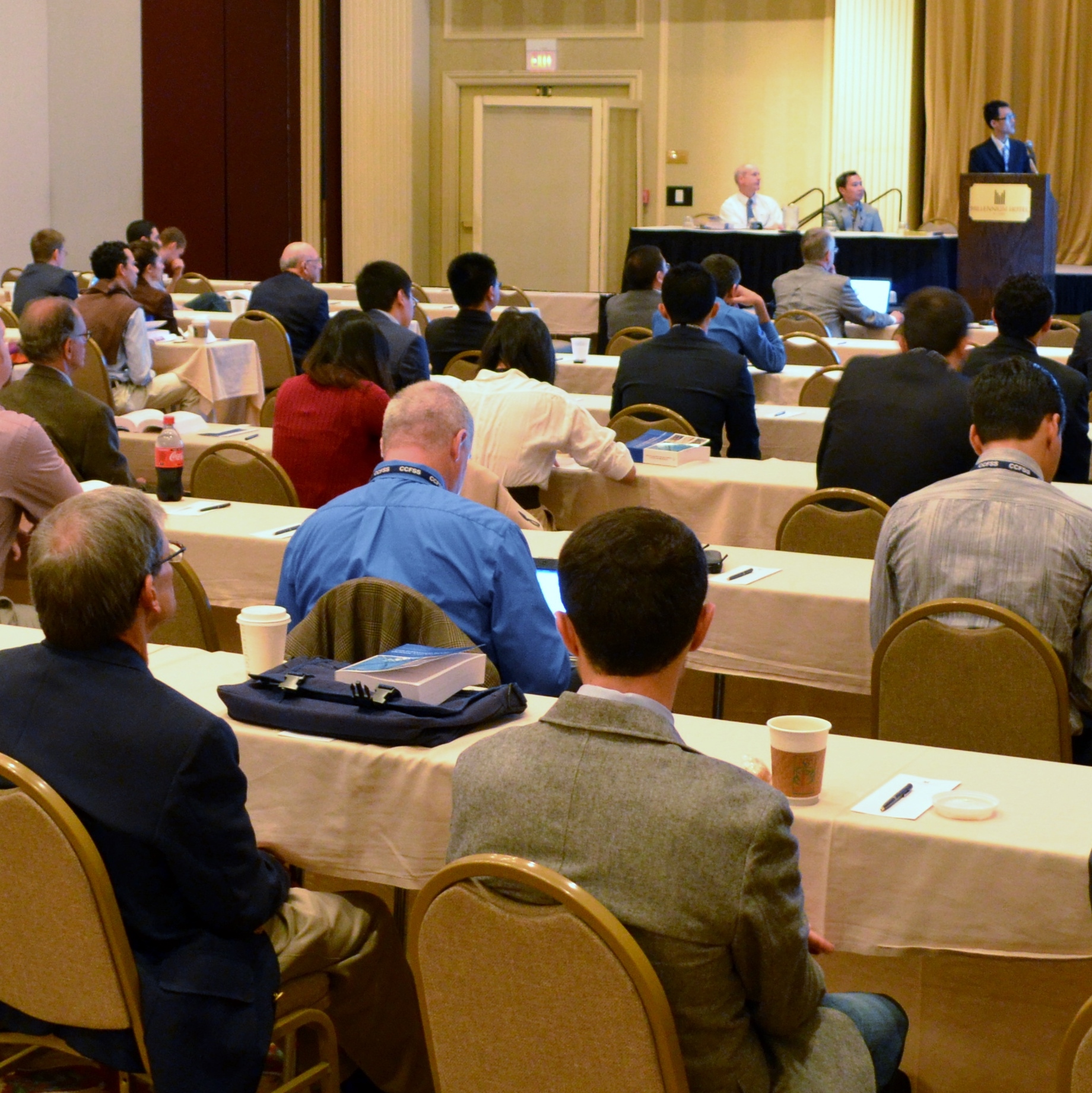
In my last blog post, I gave an overview of FLASH, the Federal Alliance for Safe Homes, and how Simpson Strong-Tie partners with them. Last November, FLASH held their Annual Conference.  The theme of this past meeting was “15 Years of Stronger Homes and Safer Families,” and it was one of their best conferences yet.Continue Reading

Ten Apps for Engineers

Shane Vilasineekul
Guest blogger Shane Vilasineekul, engineering manager

When Simpson Strong-Tie began supporting the use of iPads by employees, it was about the same time my Blackberry contract was expiring, so I decided to go all-in with Apple® and get an iPhone® 4s and an iPad®. Since mobile devices will not replace the heavy lifting required from most engineers’ computers, I wanted to find some apps that complemented my PC use and made me more efficient when I was away from my desk.  After reading reviews and trying out a few, I eventually came up with a list of apps that I recommend. None were developed for engineers, but they are the ones I use most often. Let me know what you think of these or any of your favorites that I missed.

DropBox
DropBox
Google Drive
Google Drive

1. File Sharing Apps: My initial search was for a way to share files between my Apple devices and my PC. Since there is limited space in the free cloud services, I use two: Dropbox (free) for work files and Google Drive (free) for home files. Install the apps on your mobile devices and the software on your computers, create and log into your account, and you are ready to access/modify/share any of these files on any device. Both of these apps are seamlessly integrated into many other apps.

Notability
Notability

2. Organization: I am not the most organized person, so I wanted an app that would help me keep track of my many notes. After trying a few different ones, I settled on Notability ($3). I can take handwritten or typed notes, insert a picture of things like a jobsite photo or a paper handout, draw a sketch, or even insert an audio recording. Best of all, I can organize the notes in folders within the app and also back them up as PDF files to Dropbox.

SlideShark
SlideShark

3.  Presentations: I regularly give PowerPoint presentations, so I started using an app called SlideShark (free) and got hooked. It is simple and remains true to the look of the original PowerPoint program. With the current version, I can access files on my DropBox account, play embedded videos, and use my iPhone as a remote when my iPad is connected to a projector. Although I still present with my trusty laptop most of the time, SlideShark is also great for practicing a presentation on a mobile device anywhere you find yourself with a few spare minutes.

MyScript Calculator
MyScript Calculator

4. Calculator: I was shocked to find that my iPad didn’t have a built-in calculator app. I tried a few free ones, but never really liked them. Then MyScript Calculator (free) came out last year, which solves handwritten equations like the one shown in the icon. Now I look for reasons to use it. It won’t ever replace my TI-85, but I am not sure I want it to.


iBooks
iBooks
iBooks Shelf
iBooks Shelf

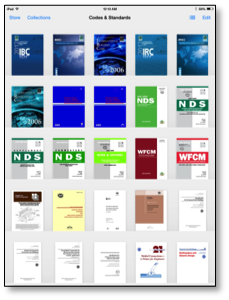
5. Reference Guides: I like the idea of having electronic versions of my codes and referenced standards all saved in my iPad. Some of the PDF files I purchased allow me to save them in iBooks (free); others shown in the screenshot are just covers. On a side note, ICC has all of their codes online, broken into sections (as opposed to a single PDF). It’s great for sending links of specific code language to people that don’t own the code.

GoodReader
GoodReader

6. Editor Apps: There are tons of PDF editing apps out there. I asked around to see what other engineers use and decided on GoodReader ($5). I have been pretty happy with it, mostly using it to mark up PDF files I am reviewing.


PhotoSynth
PhotoSynth

7. Photos: When out on a jobsite, there is no better way to capture information than with a picture. But when everything can’t fit inside the viewfinder, PhotoSynth (free) is a great tool to capture the surroundings. Immersive 360° images  can be posted online, shared, or viewed within the app. Here are links to a couple of mine: Hurricane Sandy, Columbus Test Lab.

SnapSeed
SnapSeed

8. Photo Editing: While on the topic of photos, I use Snapseed (free) whenever I need to edit them. It is simple and intuitive, but powerful enough to get the job done.


Scanner Pro
Scanner Pro

9. Scanner Pro ($3) turns your camera into a scanner. Take a picture of a paper document, then locate the corners of the paper within the app and turn it into a PDF file that scales and stretches it to look like a scan instead of a snapshot.


Paper
Paper
Sketchbook Express
Sketchbook Express

10. Sketch Apps: My favorite apps for sketching a new connector idea, illustrating a concept or just doodling, are Paper (free) and SketchBook Express (free). Paper is more free-form and natural, while SketchBook has more tools and provides more precise control. They are free, so give them both a try.

*Apple, the Apple logo, iPhone and iPad are trademarks of Apple Inc., registered in the U.S. and other countries.*

Educated in a FLASH, Part 1

Happy New Year! This week’s blog was written by Branch Engineer Randy Shackelford, P.E., who has been a guest speaker at numerous outside seminars and workshops as a connector and high wind expert. 

As part of our mission to “help people build safer structures economically,” Simpson Strong-Tie works with many non-profit groups around the country, including the American Red Cross, Habitat for Humanity, and the National Storm Shelter Association. Another group we work with is FLASH, the Federal Alliance for Safe Homes.Continue Reading

Know Your Code

I attended a CFSEI and Steel Framing Alliance webinar last week entitled Specifying Cold-Formed Steel: Finding and Avoiding Pitfalls in Structural General Notes and Architectural Specifications. The presenter was Don Allen, P.E., from DSi Engineering, LLC, and he focused on issues specifically related to design and specification of cold-formed steel (CFS) in contract documents.

Continue Reading

Call for Papers: 22nd International Conference on CFS Structures

Guest blogger Jeff Ellis, engineering manager

The Wei-Wen Yu Center for Cold-Formed Steel Structures has issued a Call for Papers for the 22nd International Conference on Cold-Formed Steel (CFS) Structures, to be held Nov. 5-6 in St. Louis, MO. The goal of the conference is to enable sharing of state-of-the-art information pertaining to CFS design.

Both engineering researchers and practitioners have provided valuable contributions to the conference. Past proceedings are available online.

International ConferenceResearchers and practitioners are encouraged to submit abstracts for consideration by the conference steering committee. Application-oriented topics highlighting innovations in CFS applications are strongly encouraged. The deadline is Dec. 31. Abstracts may be submitted by e-mail to ccfss@mst.edu.

What are your thoughts? Visit the blog and leave a comment!

Simpson Strong-Tie Literature at Your Fingertips

A couple of years ago, my brother-in-law asked if I could stop by the swim club where he is a board member. He was overseeing a construction project to upgrade the buildings and patio covers, which involved dry-rot repairs and the addition of Simpson Strong-Tie® connectors to create a continuous load path. He wanted me to meet with the contractor and make some suggestions for alternate connectors. The as-built conditions didn’t work for the specified connectors at a few locations, and there were some spots where he thought the connectors were “ugly.” I’m probably in the minority on this, but I think shiny galvanized steel connectors are just beautiful. So the “ugly” comment stung a little bit.

Once I got over my hurt feelings, I grabbed my Wood Construction Connectors catalog, a Deck Connection and Fastening Guide, and a few other fliers and technical bulletins that I thought might be helpful and drove across town to meet them. With literature in hand, we were able to come up with ways to work around the more difficult areas, and also select some more aesthetically pleasing architectural connectors at prominent locations. I thought we were done, and then the contractor had a few more questions on anchoring that I needed an Anchoring and Fastening Systems Catalog to look up some information on – and I didn’t have one! I managed to muddle through with my smartphone and find the information online, but couldn’t help but think that there had to be a better way to access design information when you are out of the office.

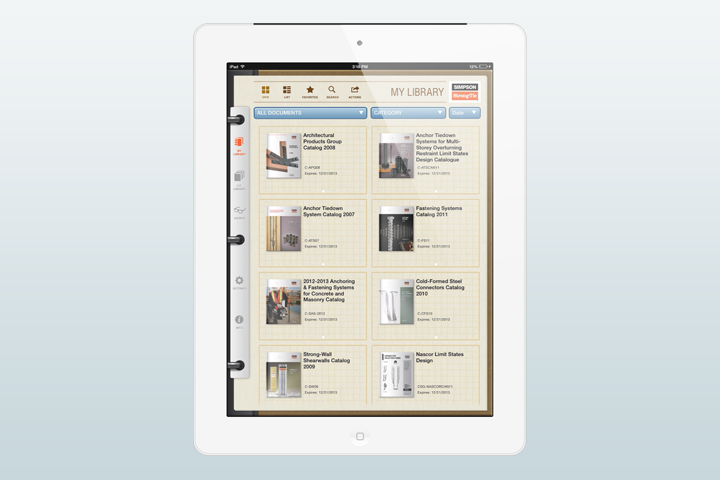
ipad overviewThe better way has arrived in the latest version of the Simpson Strong-Tie® Literature Library mobile app. It was just launched this month and is much more comprehensive than the first version. There are several new features that I wanted to highlight for you.

Continue Reading

2013 Buildings At Risk Summit Focused on Individual and Community Safety, Resiliency

The Structural Engineers Association of Northern and Southern California hosted the third annual Buildings At Risk ǀ Earthquake Loss Reduction Summit in Los Angeles on October 8 and in San Francisco on October 15. Robust panel presentations and discussions presented by professionals from diverse yet complimentary fields targeted a mixed audience of building owners, architects, engineers, government officials, insurance representatives, and financial industry representatives.Continue Reading

Hurricane Sandy, One Year Later

Shane Vilasineekul
Guest blogger Shane Vilasineekul, engineering manager

[Simpson Strong-Tie note: Shane Vilasineekul is the Simpson Strong-Tie Engineering Manager for the Northeast U.S. and one of our guest bloggers for the Structural Engineering Blog. For more on Shane, see his bio here.]

The end of this month will mark the one year anniversary of Superstorm Sandy hitting the coastlines of New Jersey, New York, and surrounding states. A lot of construction has taken place in the last 12 months, but most of the rebuilding will occur over the next few years. The boardwalks were a high priority because of their effect on tourism, which is so vital to the local economies, and most of them have been completed (see my previous post about rebuilding after Sandy here). Now the focus has shifted to repairing, raising, and rebuilding homes.

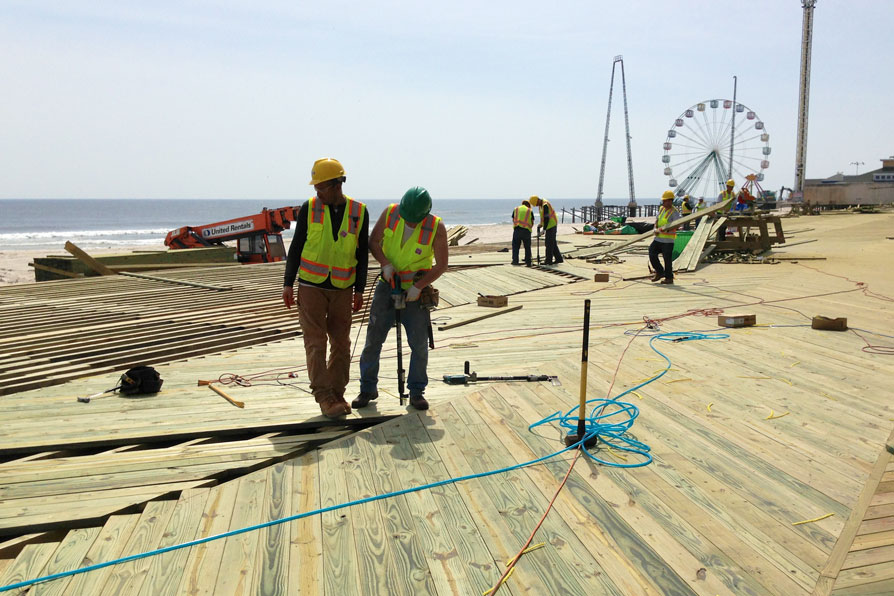
Boardwalk under construction.
Boardwalk under construction. Image credit: Matt Cross, Simpson Strong-Tie.

I am writing this while sitting in the Newark airport, headed home after presenting one of our workshops on high wind design. The workshop was held at a hotel in Manahawkin, New Jersey that happened to be used last year by residents displaced by the storm, including some of the architects and engineers in attendance this morning. After talking to a few of them at the breaks, it sounded like they are struggling with the current state of building provisions, which were quickly put in place to ensure rebuilt properties are more resilient, including new flood elevations and renewed focus on code compliance.

Continue Reading